
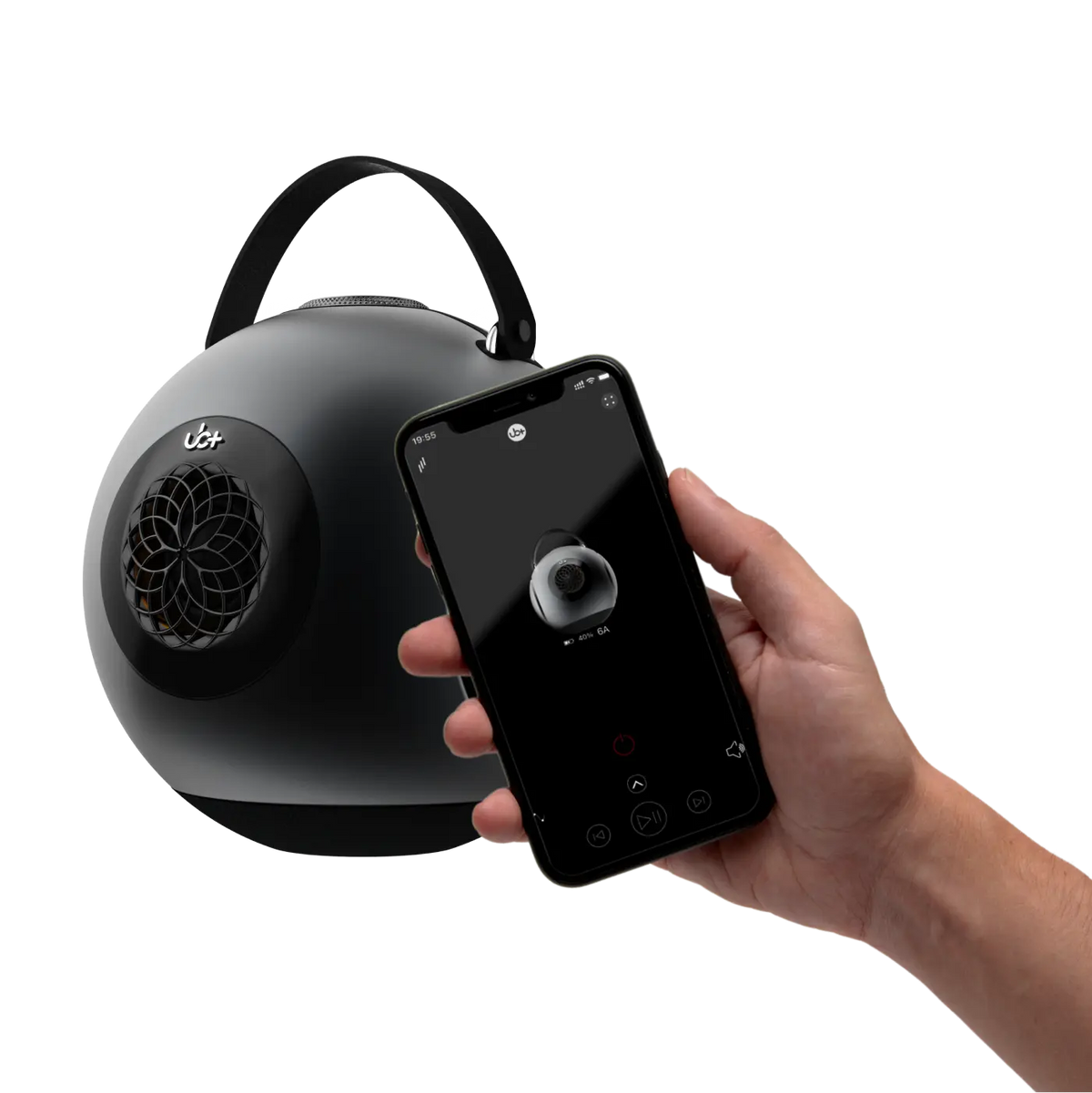
A wireless speaker should connect quickly and play without interruptions, but pairing problems can happen for several reasons. Bluetooth settings, saved device records, software conflicts, wireless interference, low battery levels, and connection limits can all prevent a phone, tablet, or computer from recognizing a speaker. Before assuming the speaker is damaged, it is worth checking the connection step by step.
This guide explains nine practical ways to troubleshoot a Bluetooth speaker not connecting issue, from basic pairing checks to interference, device compatibility, and hardware testing. It also explains how Bluetooth connectivity differs from acoustic performance and how UB+ portable speakers—including the UB+ dB1 DoubleBass, UB+ dB Mini, UB+ S1 Circle, and UB+ E2 Solace—fit different listening needs.
Why Bluetooth Speakers Sometimes Fail to Connect
Bluetooth pairing requires two devices to discover each other, exchange connection information, and establish a compatible wireless audio link. A failure at any stage can prevent playback.
Common causes include:
- The speaker is not in pairing mode.
- The phone or computer has an outdated saved pairing record.
- Another device is already connected to the speaker.
- Bluetooth is disabled or malfunctioning on the source device.
- Wireless interference affects the 2.4GHz frequency band.
- The speaker battery is too low for stable operation.
- The operating system or speaker firmware needs an update.
- The source device is attempting to use an incompatible audio route.
Bluetooth versions also influence supported features, connection efficiency, and compatibility behavior. They do not automatically determine sound quality or guarantee that two devices will pair successfully. For a closer look at the differences, see Bluetooth 4.2 vs. 5.0 vs. 5.3.
Fix 1: Confirm That the Speaker Is in Pairing Mode
The first step is to make sure the speaker is actually discoverable. Turning on a speaker does not always activate pairing mode. Some models reconnect automatically to a previously paired device instead of becoming available to a new one.
Try these steps:
- Turn on the speaker.
- Activate Bluetooth pairing mode using the designated button or control.
- Check for a flashing indicator or audible pairing signal, depending on the model.
- Open Bluetooth settings on your phone, tablet, or computer.
- Wait for the speaker name to appear in the available-device list.
- Select the correct device and wait for confirmation.
If the speaker does not appear, turn Bluetooth off and back on on the source device. Keep the phone or computer close to the speaker during the initial pairing process.
Why this matters: Bluetooth discovery and Bluetooth audio transmission are separate stages. A speaker can be powered on but unavailable for new connections if it is not advertising its presence.
Fix 2: Remove the Old Pairing Record and Reconnect
A previously saved Bluetooth connection can become corrupted or outdated. This sometimes happens after an operating-system update, a speaker reset, or repeated attempts to connect different devices.
Instead of repeatedly selecting the same saved connection, remove it and create a fresh pairing record.
On most smartphones:
- Open Settings.
- Select Bluetooth or Connected Devices.
- Find the speaker in the saved-device list.
- Choose Forget, Unpair, or Remove.
- Restart Bluetooth.
- Put the speaker into pairing mode again.
- Select it as a new device.
On Windows or macOS, the process is similar: remove the saved speaker from the Bluetooth device list and pair it again.
This step is especially useful when a speaker appears as connected but produces no audio. The saved connection may exist even when the audio profile is not functioning correctly.
Fix 3: Disconnect Other Previously Paired Devices
Some portable speakers automatically reconnect to a phone, laptop, or tablet they have used before. If another source device connects first, your current device may be unable to establish a new connection.
For example, a speaker might reconnect to a laptop in another room while you are trying to pair it with your phone.
To test this:
- Turn off Bluetooth on nearby devices that were previously paired.
- Disconnect the speaker from any active source.
- Restart the speaker.
- Activate pairing mode.
- Connect only the device you want to use.
This is also important when testing multiple UB+ products. The UB+ dB1 DoubleBass and UB+ dB Mini are portable listening options, but troubleshooting should begin by checking the active source-device connection rather than assuming an acoustic or hardware problem.
If you regularly switch between a laptop and smartphone, disconnecting the previous source before pairing the next one can prevent unnecessary connection conflicts.
Fix 4: Check Bluetooth Range and Wireless Interference
Bluetooth operates in the 2.4GHz frequency band, which is also used by Wi-Fi networks and several other wireless devices. Although Bluetooth uses techniques such as frequency hopping to reduce interference, crowded wireless environments can still affect connection reliability.
Potential sources of interference include:
- Wi-Fi routers and access points.
- Wireless keyboards and mice.
- Other Bluetooth accessories.
- USB 3.0 devices and poorly shielded cables.
- Dense walls, metal furniture, and physical obstructions.
- Multiple active wireless devices in a crowded room.
For a reliable test, place the phone or computer within approximately one meter of the speaker. Keep both devices away from large metal objects and temporarily reduce nearby wireless activity.
If the connection works at close range but becomes unstable farther away, the issue may involve signal conditions rather than the speaker's audio hardware.
A stable wireless link is important for consistent playback, but it does not determine the speaker's frequency response, bass extension, total harmonic distortion (THD), or soundstage. Those are acoustic performance characteristics that should be evaluated separately.
Fix 5: Check the Speaker and Source-Device Battery
Low battery levels can create unexpected behavior. Depending on the device, reduced power may affect startup, wireless operation, or playback stability.
Before attempting more complicated troubleshooting:
- Charge the speaker using its recommended charging method.
- Check whether the charging indicator behaves normally.
- Charge the phone, tablet, or laptop if its battery is critically low.
- Restart both devices.
- Attempt pairing again.
Battery capacity also matters when choosing a portable speaker for regular use. UB+ offers different playback capacities across its range:
|
UB+ Model |
Maximum Playback Time |
Design and Use |
|
Up to 30 hours |
Longer listening sessions |
|
|
Up to 20 hours |
Bass-focused portable listening |
|
|
Up to 20 hours |
Compact portable listening |
|
|
Up to 16 hours |
Everyday listening and portability |
|
|
Up to 16 hours |
Distinctive speaker design |
These figures represent maximum playback times. Actual runtime varies with volume, audio content, connectivity, and operating conditions.
If longer listening sessions are important, the E2 Solace offers the longest stated maximum runtime in this group. The dB1 and dB Mini provide up to 20 hours, while the S1 Circle provides up to 16 hours.
Fix 6: Restart the Phone, Computer, and Speaker
Temporary software problems can interfere with Bluetooth discovery and connection management. Restarting both devices clears some temporary system states and allows Bluetooth services to initialize again.
A useful restart sequence is:
- Disconnect the speaker from the source device.
- Turn the speaker off.
- Restart the phone, tablet, or computer.
- Turn Bluetooth back on after the source device restarts.
- Power on the speaker.
- Activate pairing mode.
- Attempt a fresh connection.
If the problem continues, check whether the source device has a pending operating-system update. Updates can include Bluetooth compatibility improvements, driver corrections, and changes to wireless device management.
For computers, Bluetooth drivers are another possible cause. A missing, outdated, or malfunctioning driver can prevent a laptop from detecting or maintaining a connection with a speaker.
Avoid downloading drivers from unknown websites. Use the computer manufacturer's official support page or the operating system's update tools.
Fix 7: Check Audio Output Settings
Sometimes Bluetooth pairing succeeds, but sound continues to play through the phone, laptop speakers, headphones, or another output device.
This is an audio-routing problem rather than a pairing failure.
On a smartphone, open the media output selector and confirm that the Bluetooth speaker is selected. On Windows, check the sound-output menu. On macOS, open Sound settings and choose the connected speaker as the output device.
It is also useful to check the application's own audio settings. Some video-conferencing software, music applications, and communication tools maintain separate output-device selections.
Bluetooth audio commonly uses the Advanced Audio Distribution Profile (A2DP) for media playback. Other profiles, such as the Audio/Video Remote Control Profile (AVRCP), support playback controls and related functions.
A device may establish a basic Bluetooth connection while a particular audio profile or application route fails. That is why checking the output selection is important even when the speaker appears in the connected-device list.
Fix 8: Test the Speaker With Another Device
Cross-device testing helps determine whether the issue comes from the speaker or the original source device.
For example, if your phone cannot connect but your laptop pairs successfully, the phone's Bluetooth settings or software may be responsible. If neither device can discover the speaker, the problem may be related to pairing mode, the speaker's settings, or its wireless hardware.
Use a simple test:
|
Test Result |
Possible Explanation |
Recommended Action |
|
One phone fails, another connects |
Source-device settings or software |
Reset Bluetooth settings or update the phone |
|
Laptop connects, phone does not |
Phone compatibility or saved pairing record |
Remove the old pairing and reconnect |
|
No device can discover the speaker |
Pairing mode or speaker issue |
Restart or reset the speaker |
|
Speaker connects but produces no audio |
Audio routing or profile issue |
Select the correct output device |
|
Connection drops at a distance |
Range or interference |
Test nearby and reduce obstructions |
This method is useful when comparing different portable models as well. For example, the UB+ S1 Circle and UB+ E2 Solace serve different listening preferences, but the same source-device testing process can help isolate a Bluetooth problem on either speaker.
Fix 9: Reset the Speaker and Test a Different Playback Method
If the previous steps do not work, a speaker reset may clear stored pairing information or temporary configuration problems. Reset procedures differ between models, so follow the manufacturer's instructions rather than trying random button combinations.
Before resetting:
- Check whether the speaker has a dedicated reset procedure.
- Disconnect it from previously paired devices.
- Make sure it has sufficient battery.
- Follow the model-specific instructions.
- Repeat the pairing process after the reset.
If the speaker supports wired or alternative playback, test that method as well. A wired connection can help determine whether the audio hardware works independently of Bluetooth.
The UB+ dB1 DoubleBass supports wired and TF playback in addition to Bluetooth. These playback options can be useful when investigating whether a problem is limited to wireless connectivity.
The dB1's acoustic design is separate from its Bluetooth connection system. Its spherical chamber, central 4.5-inch mid-bass driver, and opposing passive-radiator arrangement are intended to shape bass reproduction and enclosure behavior. They do not eliminate the need for normal Bluetooth pairing and troubleshooting.
The UB+ dB Mini, UB+ S1 Circle, and UB+ E2 Solace are additional options to consider when comparing portable speaker designs and listening requirements. Their individual acoustic specifications should be evaluated from their respective product information rather than assumed to match the dB1 architecture.
How Bluetooth Connectivity Relates to Speaker Sound Quality
A successful Bluetooth connection only establishes a path for transmitting audio. It does not guarantee accurate sound reproduction.
Once a wireless signal reaches the speaker, the acoustic system determines how effectively it converts the electrical signal into sound. Several technical factors influence the result:
- Driver excursion: The distance a driver moves during playback. Greater excursion capability can support stronger low-frequency output, provided the motor and suspension remain controlled.
- Motor strength: The magnetic system influences how effectively the voice coil controls cone movement.
- Enclosure volume: Internal air volume affects acoustic loading and low-frequency behavior.
- Frequency response: Describes the range of frequencies a speaker reproduces and how evenly it reproduces them.
- Total harmonic distortion (THD): Measures unwanted harmonic components introduced during reproduction.
- Dynamic range: Describes the difference between quieter and louder signals a system can reproduce.
- Sound pressure level (SPL): Indicates acoustic output level, although measurement distance and test conditions matter.
- Directivity and off-axis response: Describe how sound changes as the listener moves away from the speaker's main listening axis.
- DSP: Digital signal processing can help manage tonal balance, response shaping, and driver protection.
- Phase coherence: Concerns the timing relationship between acoustic outputs and can influence imaging and integration.
These factors explain why two speakers with similar Bluetooth capabilities can produce noticeably different results. For a broader explanation of the specifications that matter, read the Speaker Specs Guide: 7 Key Factors.
Acoustic Spotlight: Why the UB+ dB1 DoubleBass Uses a Different Bass Architecture
The UB+ dB1 DoubleBass approaches low-frequency reproduction through its patented spherical acoustic chamber, inspired by the Helmholtz resonator principle. Rather than relying only on digital bass enhancement, its design uses internal air pressure and a carefully arranged driver-and-radiator system to support mechanical bass reproduction.
At the center is a downward-firing 4.5-inch mid-bass driver. Two passive-radiator plates are positioned symmetrically on opposite sides of the enclosure. As the driver moves, pressure changes inside the chamber drive the passive radiators outward and inward. Their combined surface area is approximately 3.5 times the woofer's area, allowing the system to move a substantial volume of air without requiring the passive radiators to use separate voice-coil motors.
The opposing arrangement is also intended to counterbalance certain mechanical forces. This can reduce some enclosure movement compared with an arrangement that produces more unbalanced forces, although it does not eliminate every form of vibration.
The spherical enclosure provides a different internal geometry from a conventional rectangular box. It avoids the same pattern of parallel internal walls and can change internal reflection and resonance behavior. The result depends on the complete acoustic design, including the driver, chamber, passive radiators, and tuning.
The system also uses DSP for response shaping, tonal balance, and driver protection. Digital processing supports the mechanical design rather than replacing it with artificial bass inflation.
This distinction is important: Bluetooth connectivity determines how audio reaches a speaker; acoustic engineering determines how the speaker reproduces it. The dB1 combines Bluetooth playback with a dedicated mechanical bass architecture, while its wired and TF playback options provide additional ways to play audio.
For more technical context, explore UB+'s articles on how passive radiators work in Bluetooth speakers and passive radiators vs. ported boxes and spherical speaker bass.
Choosing a UB+ Speaker for Different Listening Needs
Bluetooth reliability is important, but the right speaker also depends on where it will be used, how long it needs to play, and what type of sound experience the listener prefers. UB+ offers several models with different designs and playback capacities.
|
Model |
Maximum Playback |
Main Consideration |
|
Up to 20 hours |
Spherical acoustic chamber and dual passive-radiator bass architecture |
|
|
Up to 20 hours |
Compact portable listening option |
|
|
Up to 16 hours |
Circular design for everyday listening |
|
|
Up to 30 hours |
Longest stated maximum playback time in this group |
|
|
Up to 16 hours |
Distinctive speaker design |
UB+ dB1 DoubleBass: For Listeners Interested in Bass Architecture
The dB1 is the model to examine when enclosure design and bass reproduction are priorities. Its spherical chamber and opposing passive radiators distinguish its acoustic approach from many conventional compact speaker layouts.
It is worth considering for listeners who want to understand how driver excursion, air displacement, enclosure geometry, and passive-radiator tuning work together. Its Bluetooth, wired, and TF playback options also provide flexibility across different sources.
Explore the UB+ dB1 DoubleBass.
UB+ dB Mini: For Compact Portable Listening
The dB Mini is a separate compact portable option with up to 20 hours of maximum playback. It is useful to consider when portability and listening convenience are more important than choosing a speaker around the dB1's specific spherical acoustic architecture.
The two models should not be treated as identical designs. The dB1's documented chamber and passive-radiator specifications should not automatically be attributed to the dB Mini.
Explore the UB+ dB Mini.
UB+ S1 Circle: For Everyday Listening
The S1 Circle has a compact spherical design suited to everyday listening and portable use. Its maximum playback time is up to 16 hours.
When comparing it with the dB1 or dB Mini, consider the physical design, intended listening environment, and playback requirements rather than assuming that all models share the same internal driver or acoustic architecture.
Explore the UB+ S1 Circle.
UB+ E2 Solace: For Longer Listening Sessions
The E2 Solace offers up to 30 hours of maximum playback, making battery capacity an important point of comparison. For users who frequently listen throughout the day or prefer fewer charging interruptions, its stated runtime is worth considering.
Its playback duration should be compared alongside its design and intended use, rather than treating battery capacity as a direct measure of acoustic performance.
Explore the UB+ E2 Solace.
How to Prevent Future Bluetooth Connection Problems
Once a speaker connects successfully, a few simple habits can reduce the chance of recurring problems.
- Keep the speaker and source-device software updated when manufacturer updates are available.
- Remove old pairing records for devices you no longer use.
- Disconnect the speaker from an old source before pairing it with another device.
- Avoid placing the speaker directly beside a Wi-Fi router or other sources of wireless interference.
- Keep the speaker charged and use the recommended charging equipment.
- Store the speaker according to its operating and environmental guidelines.
- Avoid repeatedly resetting the speaker when a simple reconnect would solve the issue.
It is also useful to distinguish a connection problem from an audio-quality problem. A speaker that pairs successfully but sounds distorted may need a different type of investigation. Excessive volume, clipping, source-file quality, driver limitations, and acoustic placement can all influence perceived sound.
For further reading, see Speaker Distortion Explained. It covers why distortion occurs and why clean output depends on more than the wireless connection.
Frequently Asked Questions
Why won't my phone find my Bluetooth speaker?
The speaker may not be in pairing mode, may already be connected to another device, or may have a saved connection that needs to be cleared. Restart Bluetooth on the phone, place it close to the speaker, and activate pairing mode again.
Why does my Bluetooth speaker connect but produce no sound?
Check the phone or computer's audio-output selection. The speaker may be paired but not selected as the active playback device. Also check the application's individual audio settings and media volume.
Can a low battery prevent Bluetooth pairing?
Yes. Depending on the speaker, a critically low battery may affect startup or wireless operation. Charge the speaker before attempting another pairing process.
Does Bluetooth 5.3 guarantee better sound quality?
No. Bluetooth version alone does not guarantee better sound quality. Audio performance also depends on the supported codecs, source material, transmission conditions, amplifier, drivers, enclosure, and acoustic tuning.
How do I know whether my speaker or phone is causing the problem?
Try connecting the speaker to another phone, tablet, or computer. If the second device connects successfully, investigate the original source device. If no device can discover the speaker, check its pairing procedure and follow the manufacturer's reset instructions.
Can a wired connection help diagnose Bluetooth problems?
Yes. If a speaker supports wired playback, testing it can help determine whether its audio system works independently of Bluetooth. If wired playback works but wireless pairing fails, the issue may be isolated to the wireless connection or its settings.
Which UB+ speaker has the longest maximum playback time?
The UB+ E2 Solace has the longest stated maximum playback time among the models compared here, at up to 30 hours. The dB1 DoubleBass and dB Mini offer up to 20 hours, while the S1 Circle and S2 Alphorn offer up to 16 hours. Actual runtime varies with listening and operating conditions.
Final Thoughts
A Bluetooth speaker not connecting problem does not automatically mean the speaker is defective. Pairing mode, saved device records, competing connections, wireless interference, battery condition, operating-system settings, and audio routing are all worth checking before considering hardware repair or replacement.
The most effective approach is to troubleshoot one variable at a time: restart both devices, remove old pairing records, test at close range, disconnect other paired devices, and try another source device. If the speaker supports wired playback, use it to check whether the audio system works independently of Bluetooth.
When choosing a portable speaker, also consider the acoustic design and practical listening requirements. The UB+ dB1 DoubleBass offers a distinct spherical chamber and passive-radiator architecture, while the UB+ dB Mini provides a compact portable option. The UB+ S1 Circle offers a circular everyday-listening design, and the UB+ E2 Solace stands out for its up-to-30-hour maximum playback time.
A dependable wireless connection gets the music playing. The speaker's acoustic engineering, battery capacity, and design determine how well it fits the listening experience you want.


留言
此網站已受到 hCaptcha 保護,且適用 hCaptcha 隱私政策以及服務條款。